Conekta Payment Acquirer for Odoo provides a seamless and secure integration with the Conekta payment gateway, enabling businesses to manage online payments efficiently. The module supports multiple payment methods, including credit and debit cards, OXXO cash payments, and SPEI bank transfers, offering flexibility and convenience to customers in Mexico. By streamlining payment processes and automating transaction handling within Odoo, the app ensures a smooth checkout experience, reliable payment status updates, and improved operational efficiency.
Features
1) Conekta SPEI Payment Integration
Integrate as a payment acquirer and accept payments directly through Conekta SPEI payment gateway.
2) Support for Online Transactions
Allow customers to make secure online payments through Conekta on your Odoo eCommerce platform.
3) Conekta OXXO Payment Integration
Integrate as a payment acquirer and accept payments directly through Conekta OXXO payment gateway.
4) Conekta Payment Integration
Integrate as a payment acquirer and accept payments directly through Conekta payment gateway.
Conekta Payment Provider Configuration
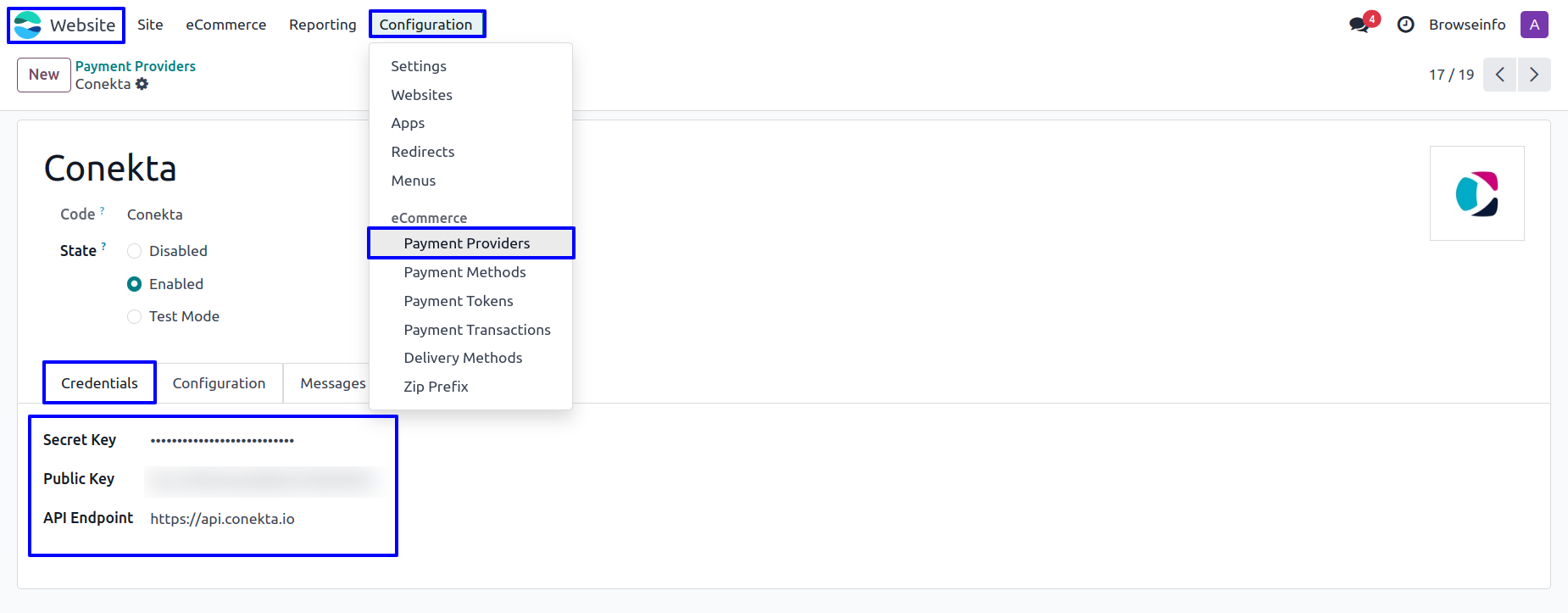
User need to enter Conekta Secret Key and public key in Conekta payment provider in Odoo.
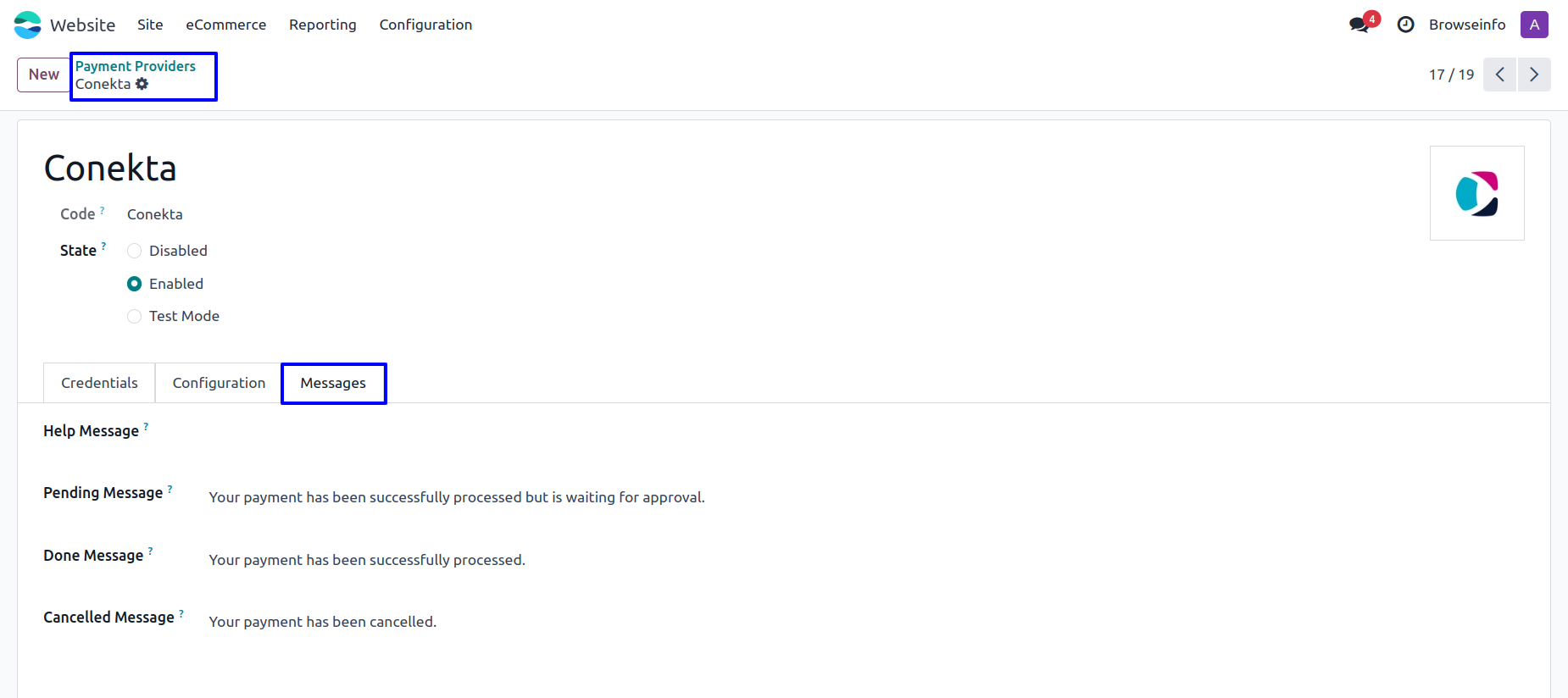
Under "Messages" tab, User can set payment messages.
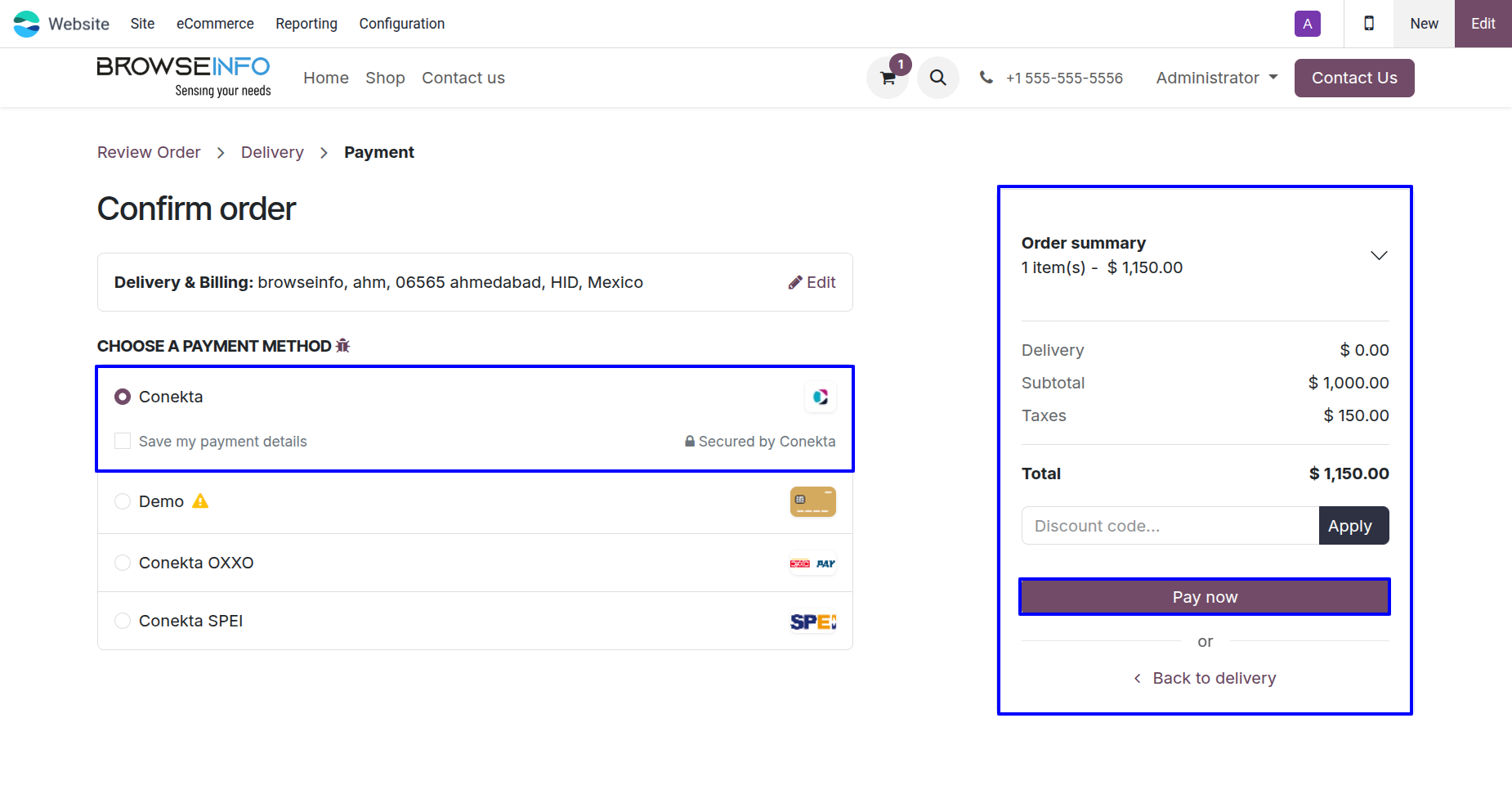
Conekta Payment Methods
Once configured, customers will see Conekta as a payment option when confirming their order on your Odoo website.
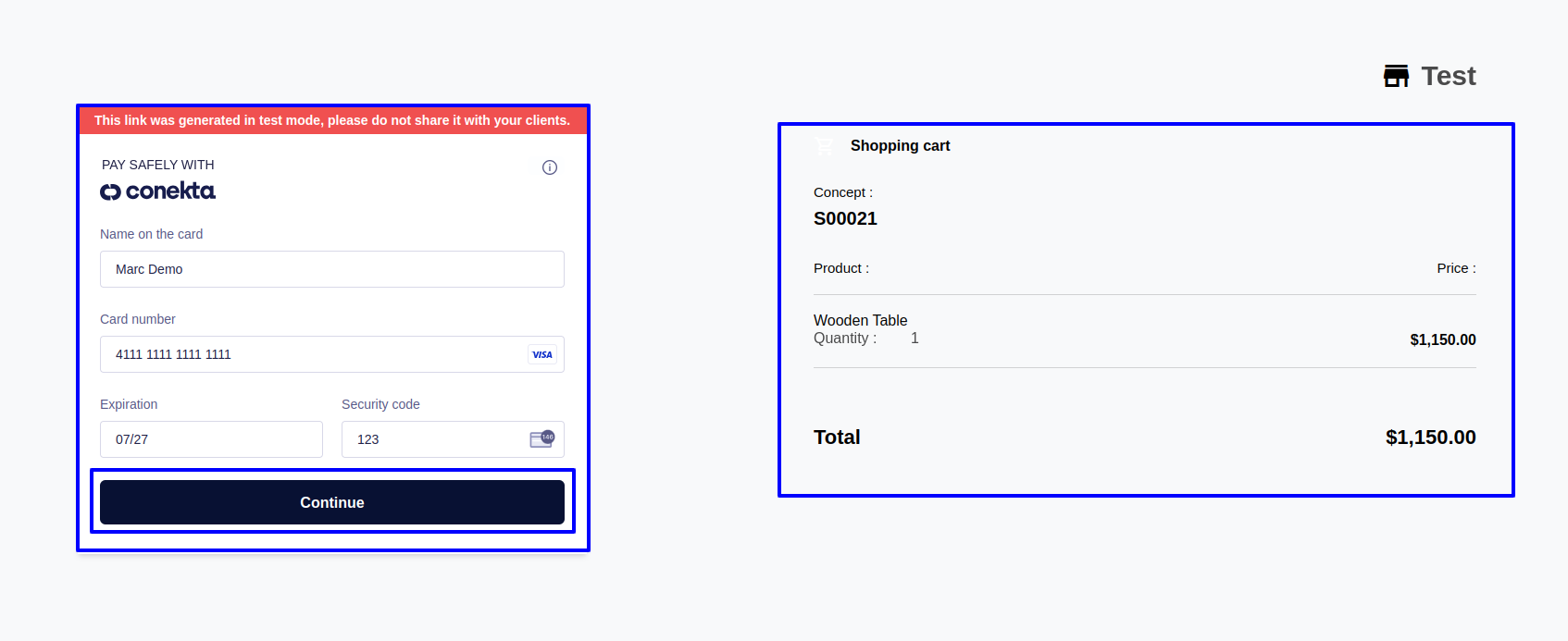
After selecting Conekta for payment, user will be redirected to payment page, on that page user will need to enter their card details and click on the "Continue" button .
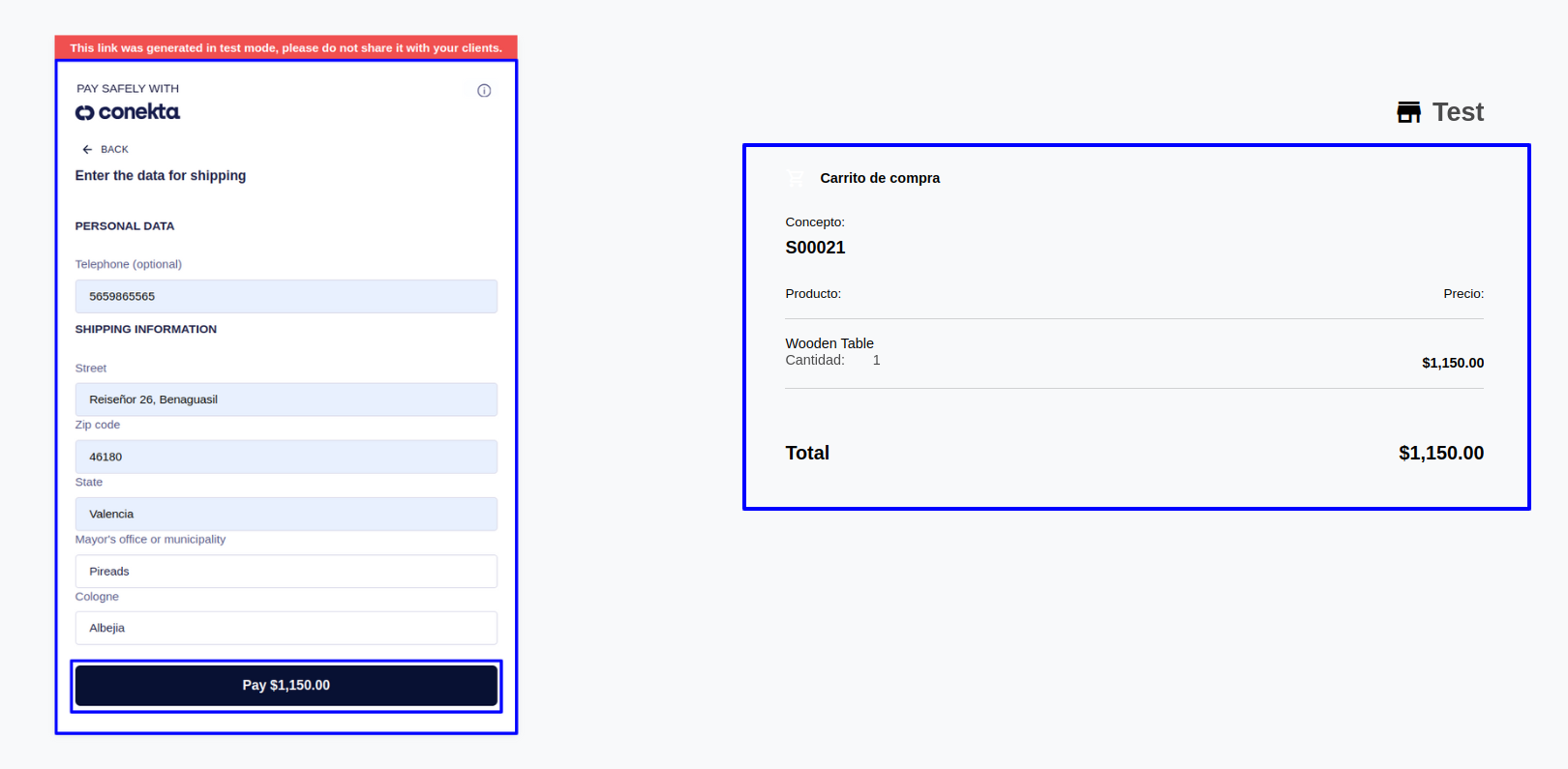
Clicking On continue button user will be redirected to next page where user need to add their personal details and click on Pay button to complete transaction.
Conekta Transactions
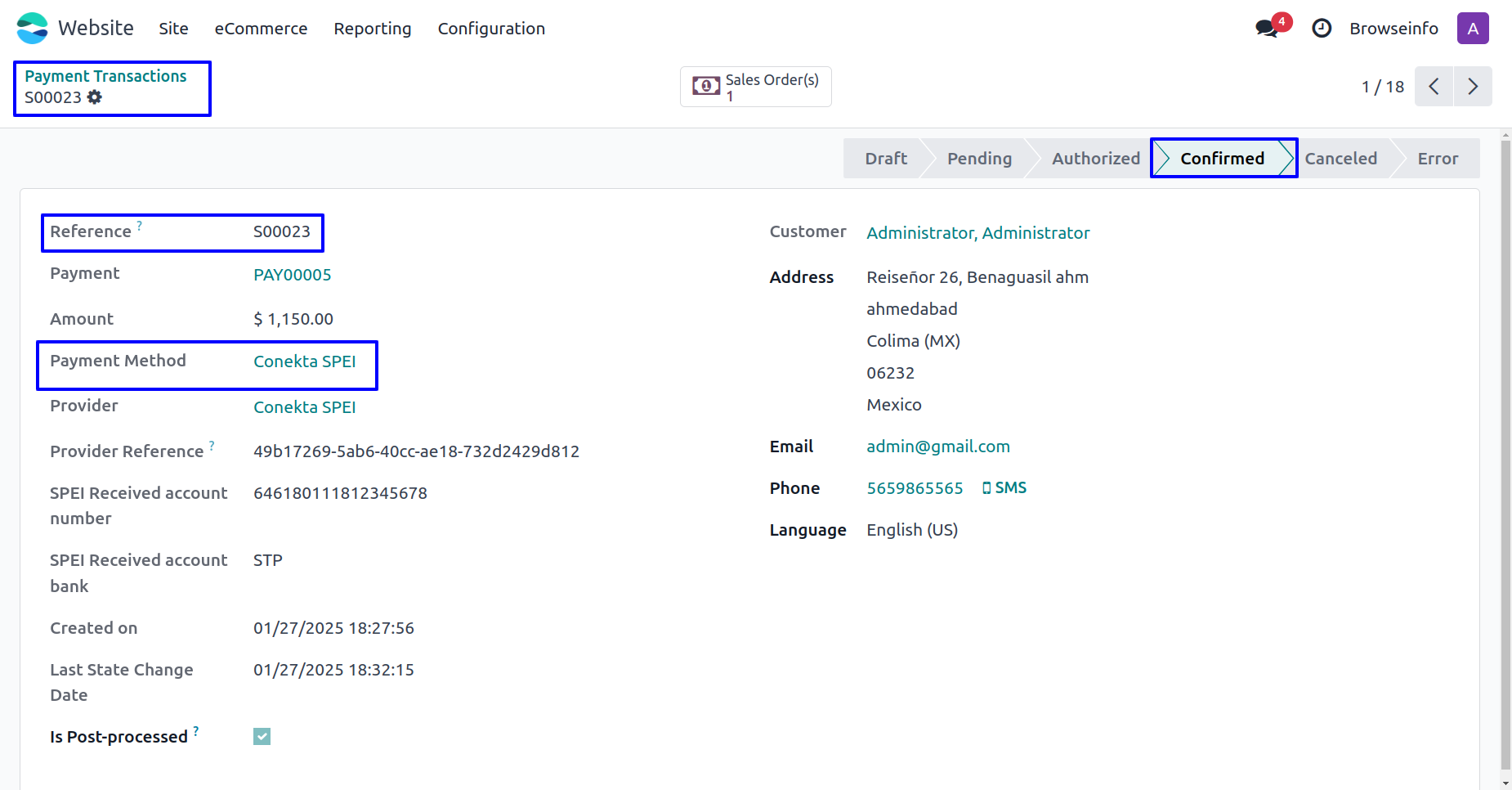
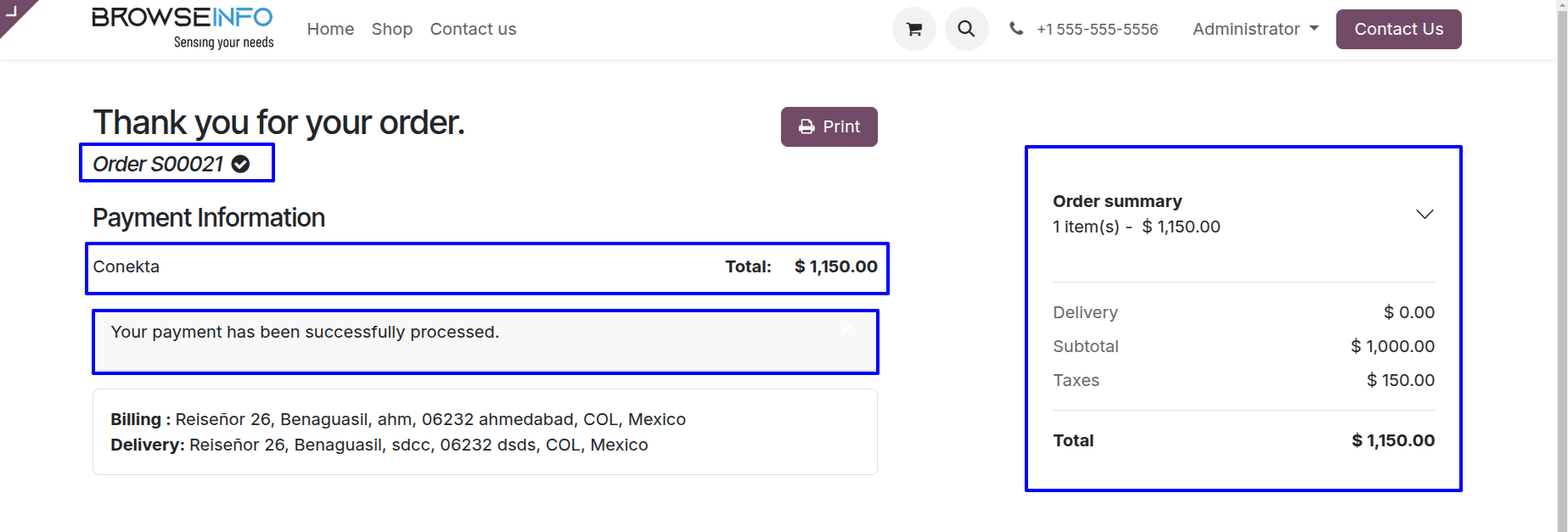
User can see Conekta payment has been successfully processed and payment transactions done.
Payment transactions detail with reference no. and payment provider name.
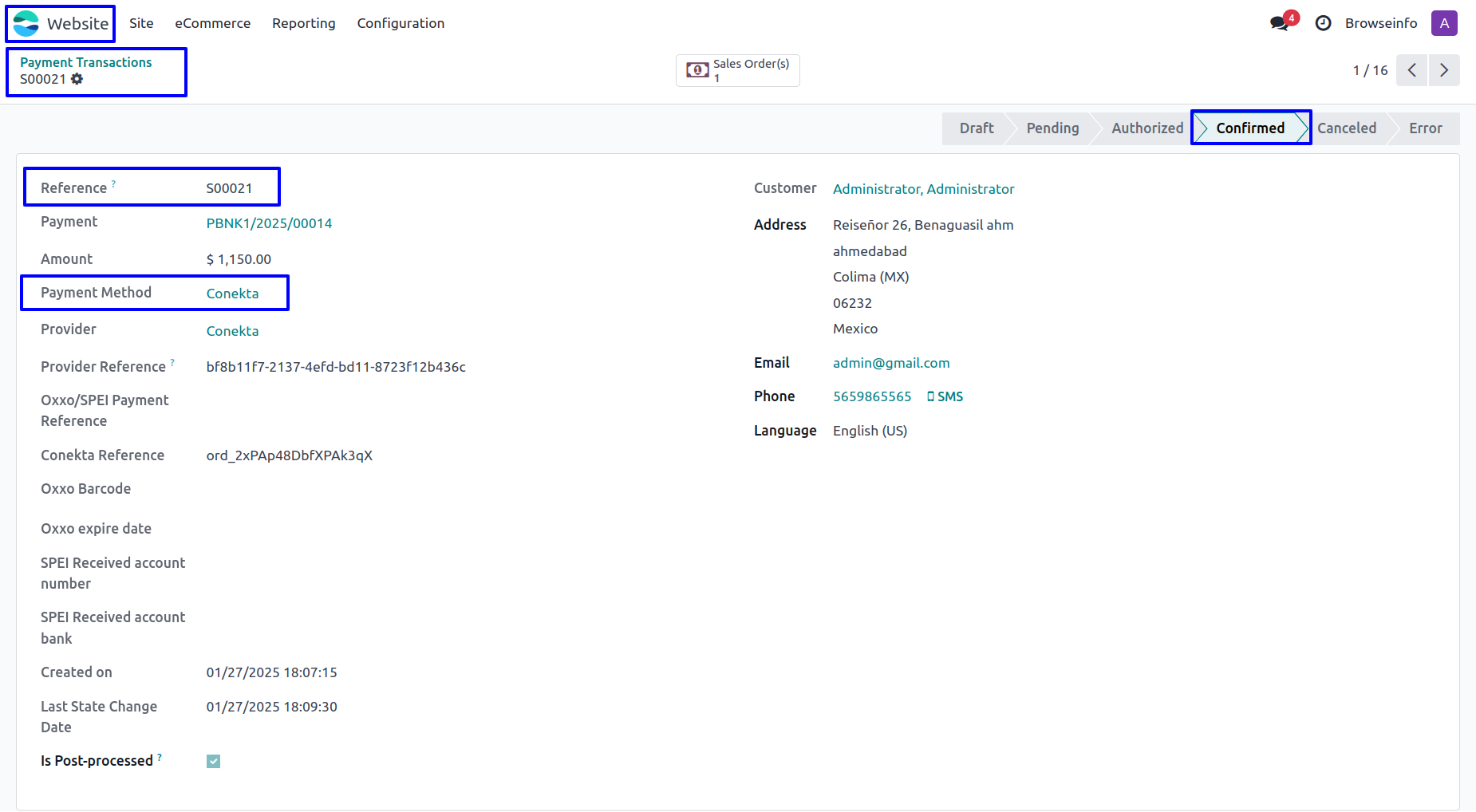
Fig. shows the sale order with Total Amount of ordered products and payment detail.
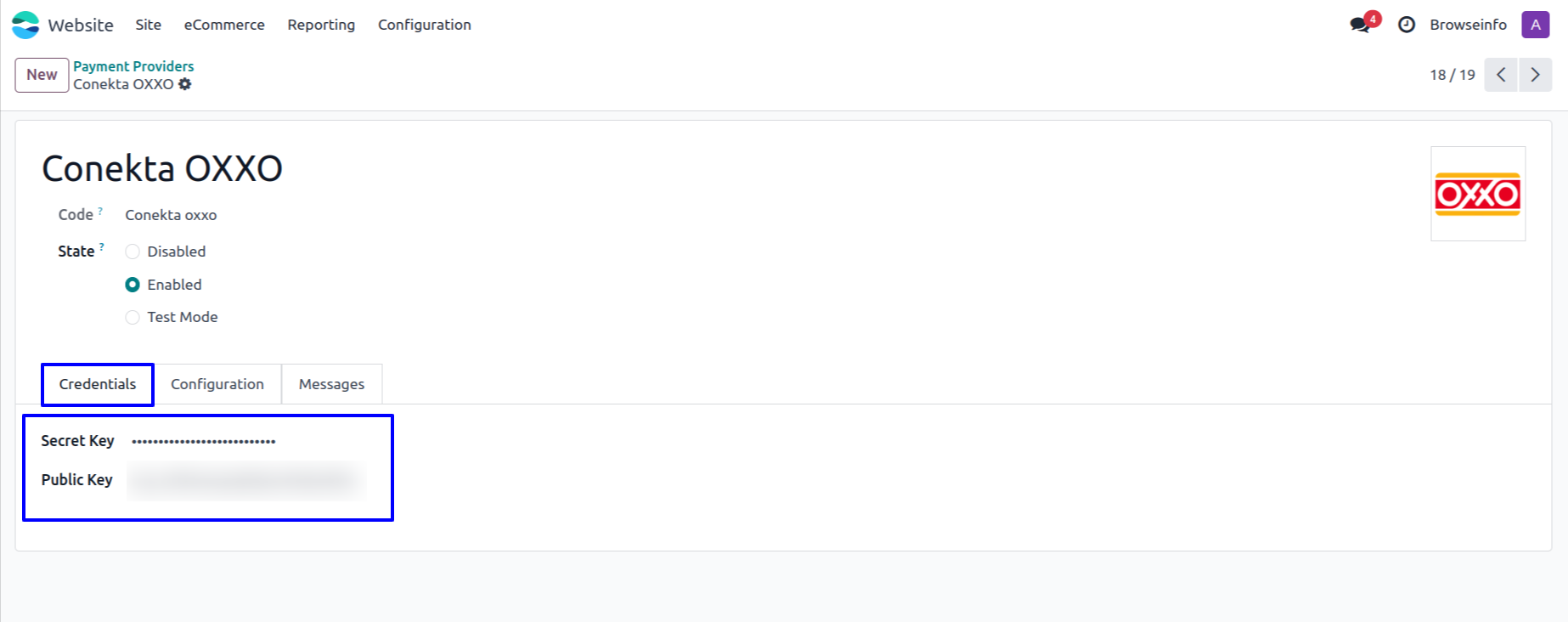
Conekta OXXO Payment Provider Configuration
User need to enter Conekta Secret Key and public key in Conekta OXXO payment provider in Odoo.
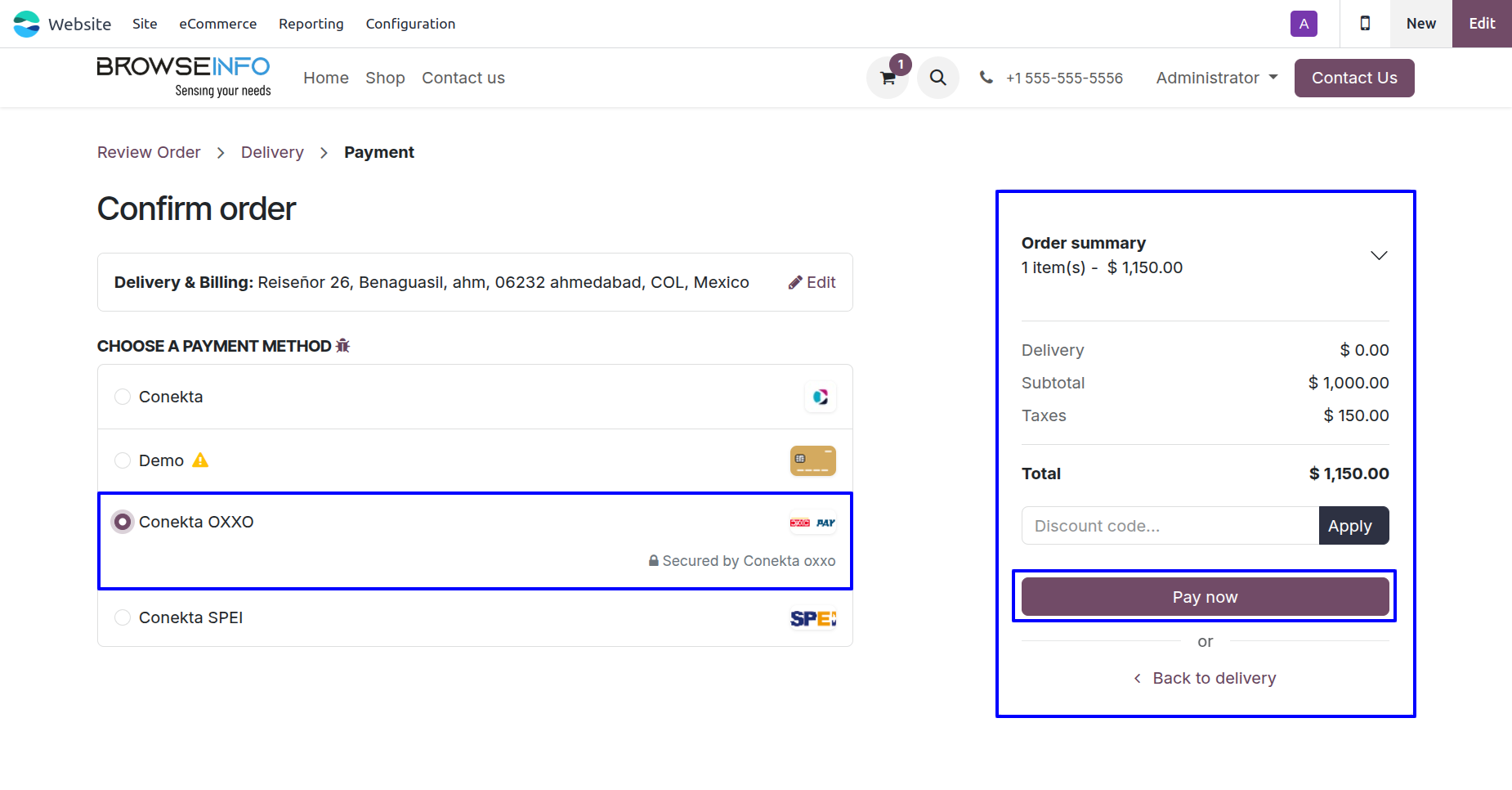
Conekta OXXO Payment Methods
Once configured, user will see Conekta OXXO as a payment option when confirming their order on your Odoo website.
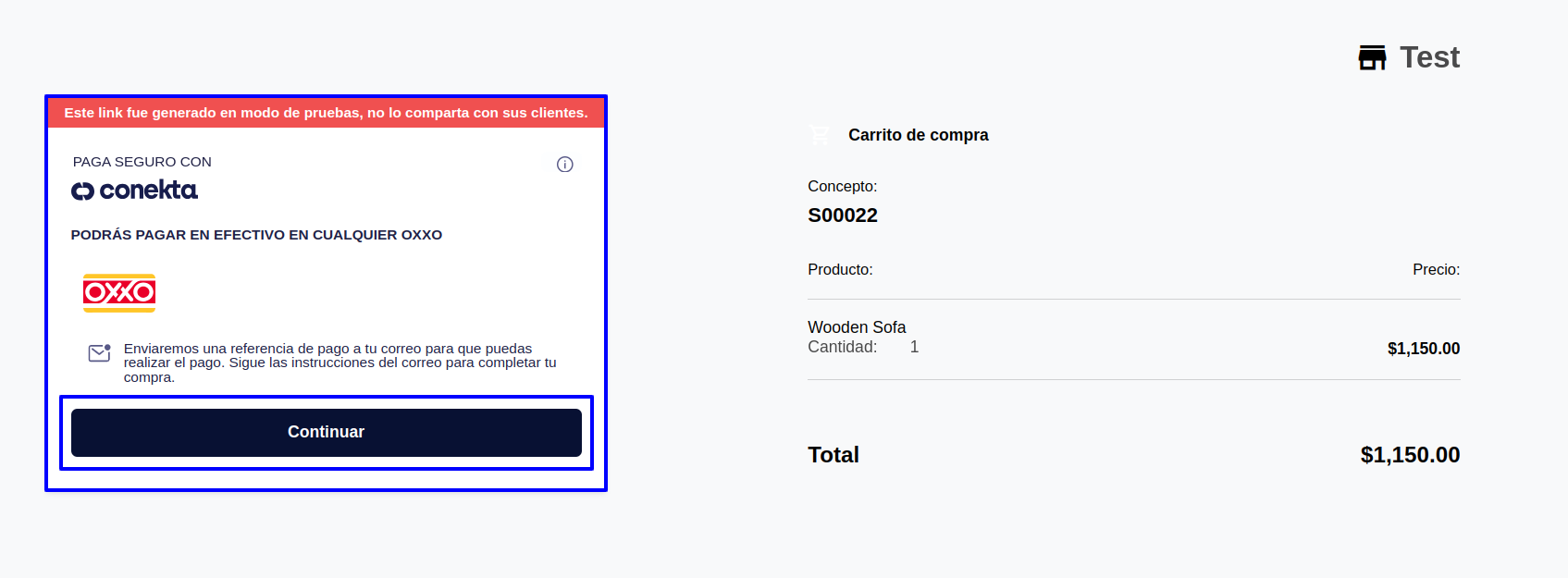
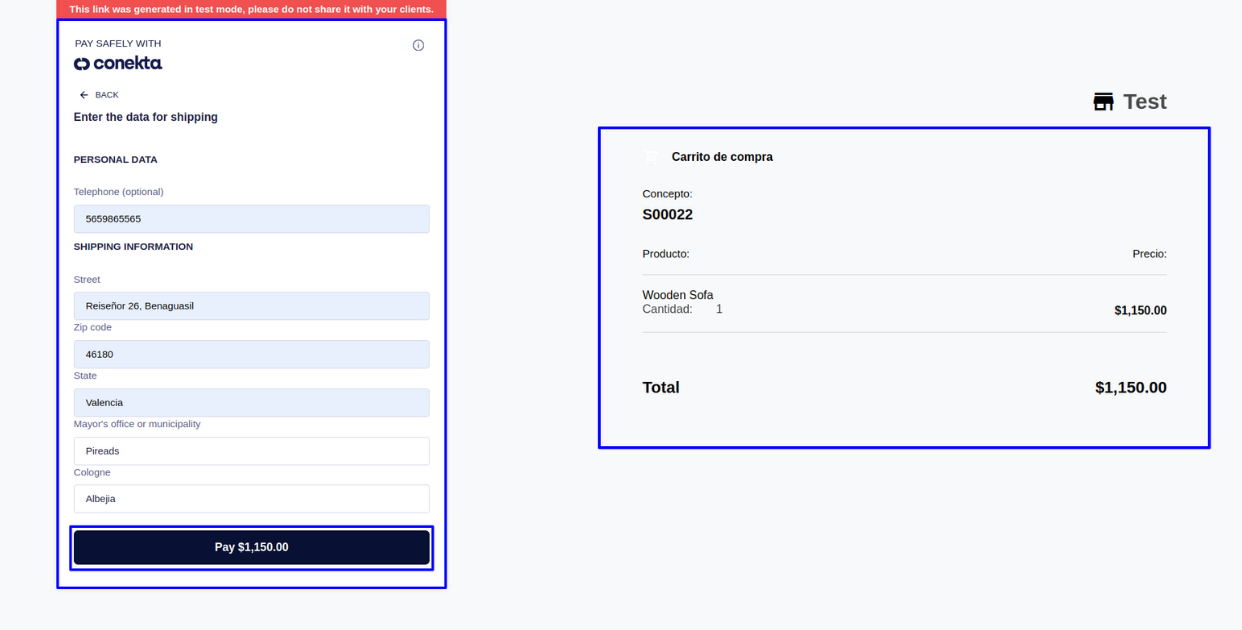
After selecting Conekta OXXO for payment, user will be redirected to payment page, on that page user need to click on the "Continue" button to go to the payment page.
Clicking On continue button user will be redirected to next page where user need to add their personal details and click on Pay button to complete transaction.
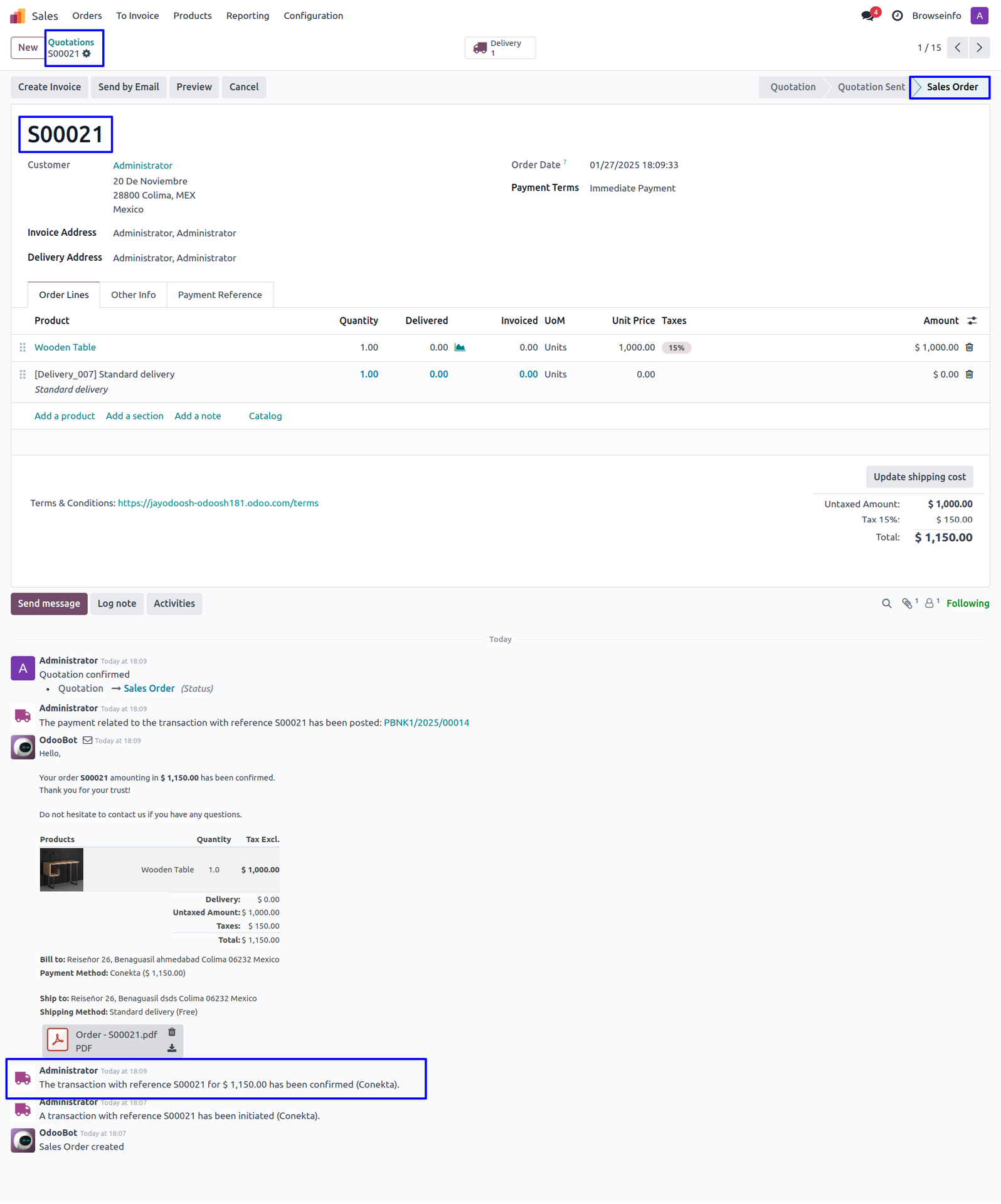
Conekta OXXO Transactions
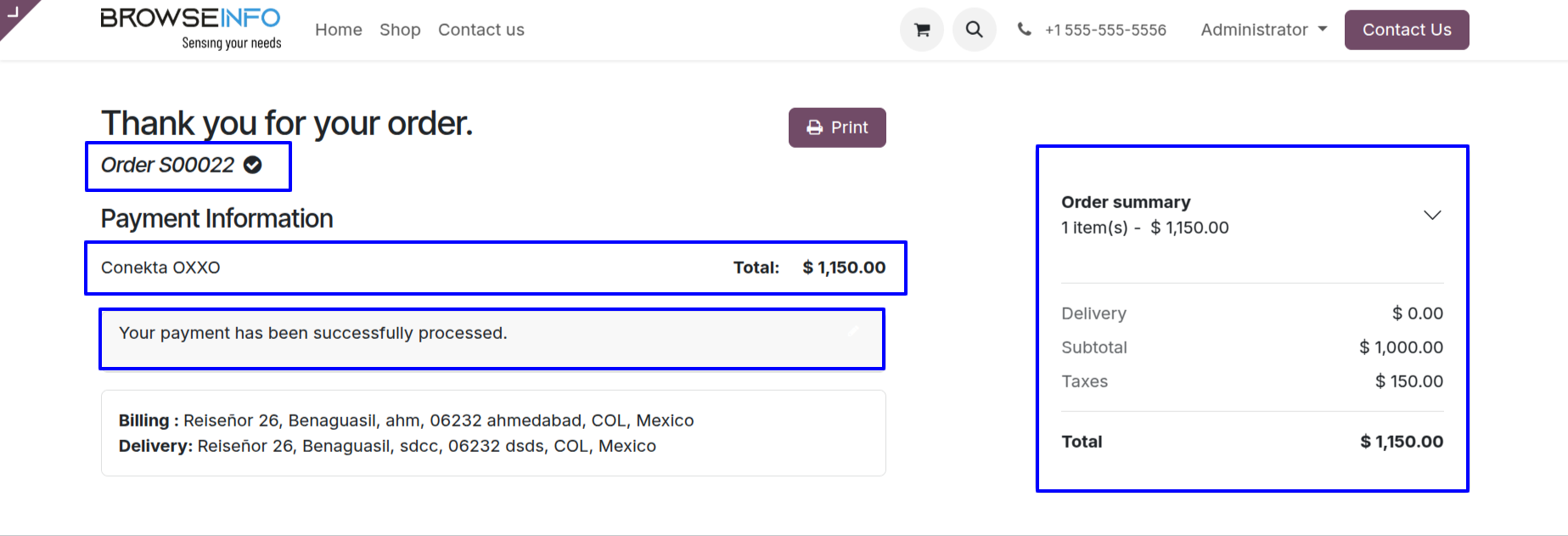
User can see Conekta OXXO payment has been successfully processed and payment transactions done.
Payment transactions detail with reference no. with payment provider name.
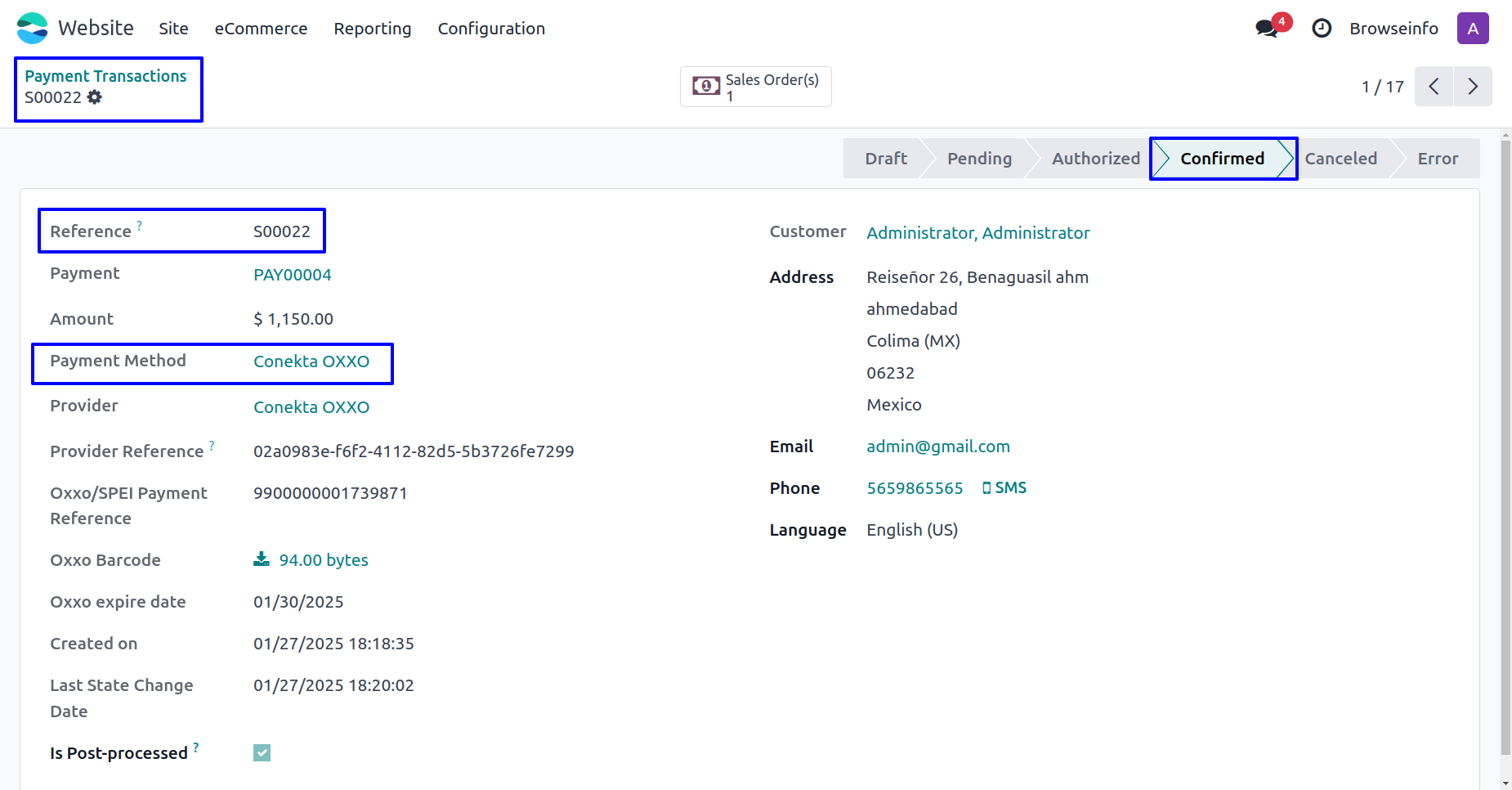
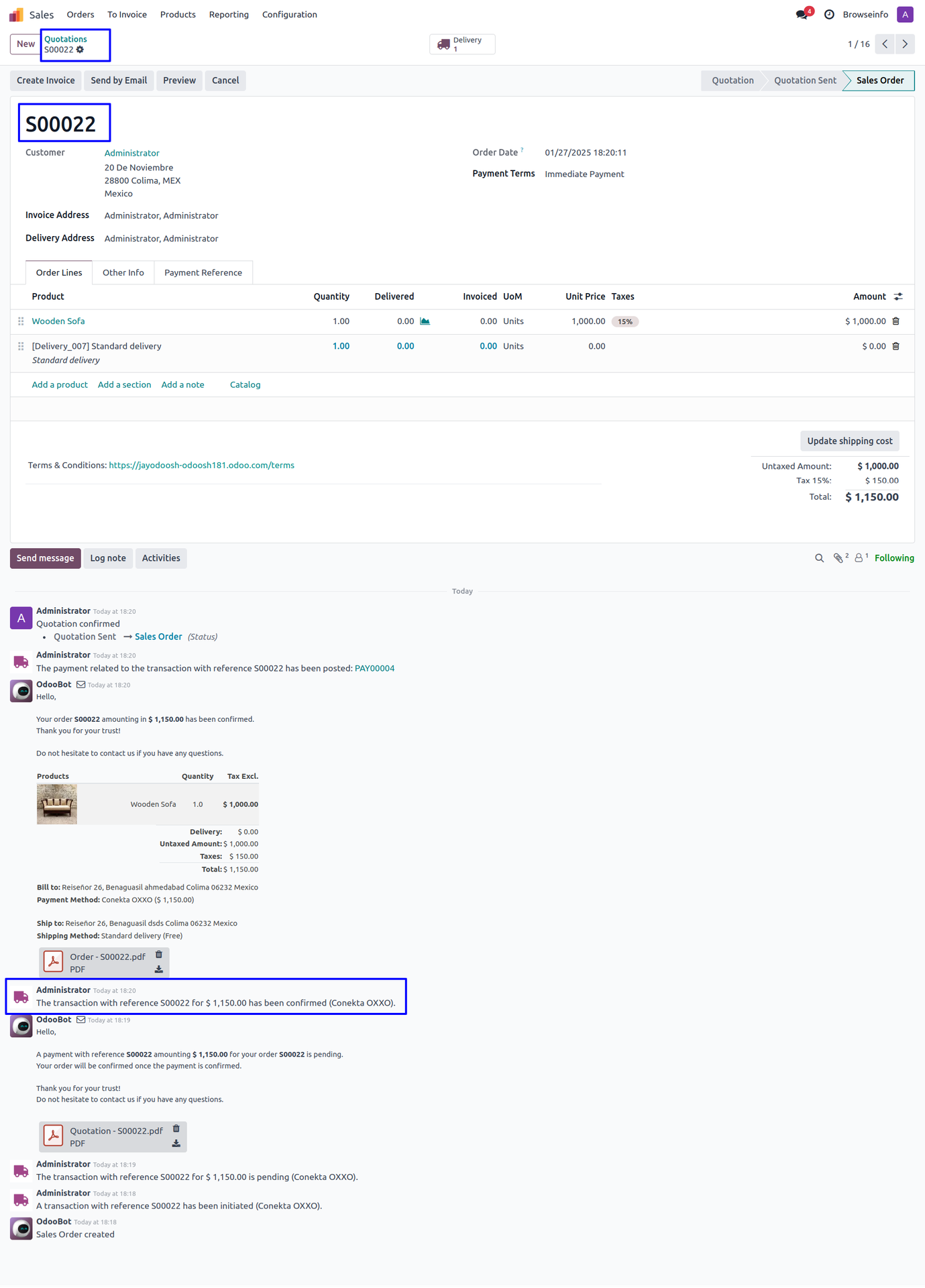
Fig. shows the sale order with Total Amount of ordered products and payment detail.
Conekta SPEI Payment Provider Configuration
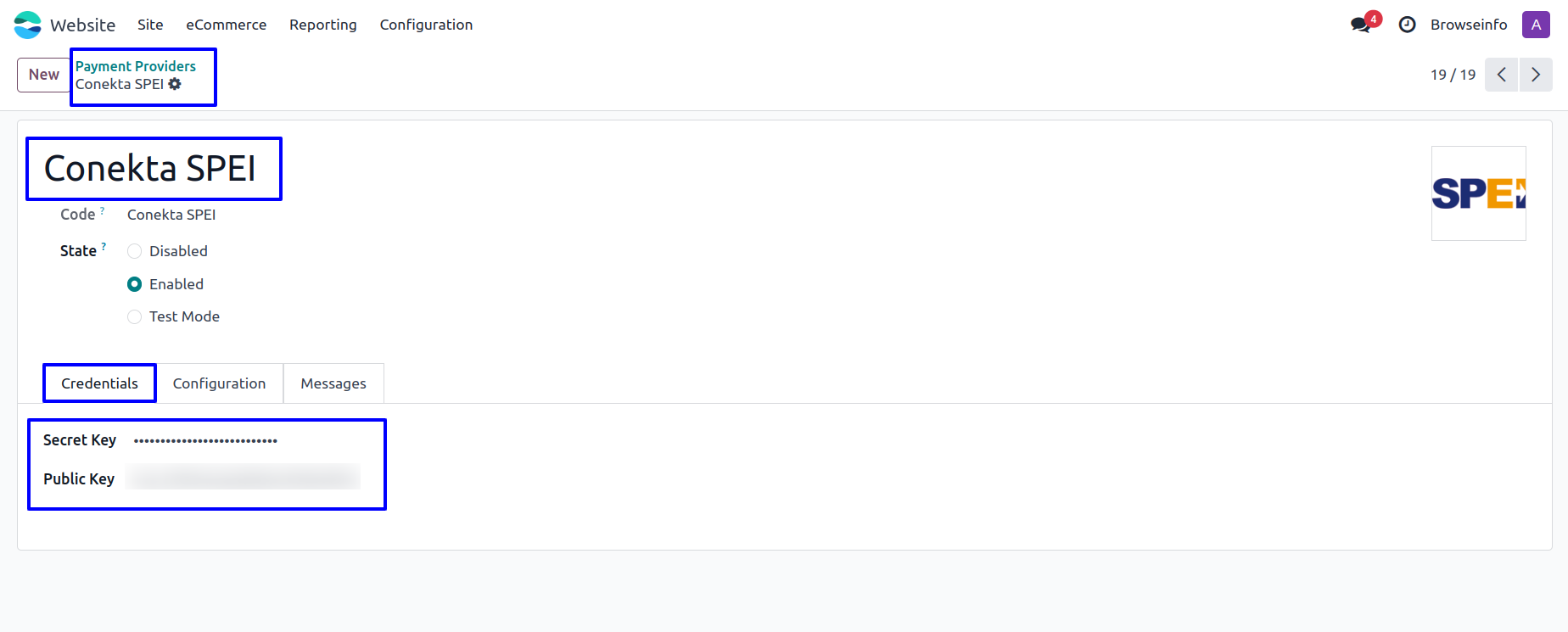
User need to enter Conekta Secret Key and public key in Conekta SPEI payment provider in Odoo.
Conekta SPEI Payment Methods
Once configured, user will see Conekta SPEI as a payment option when confirming their order on your Odoo website.
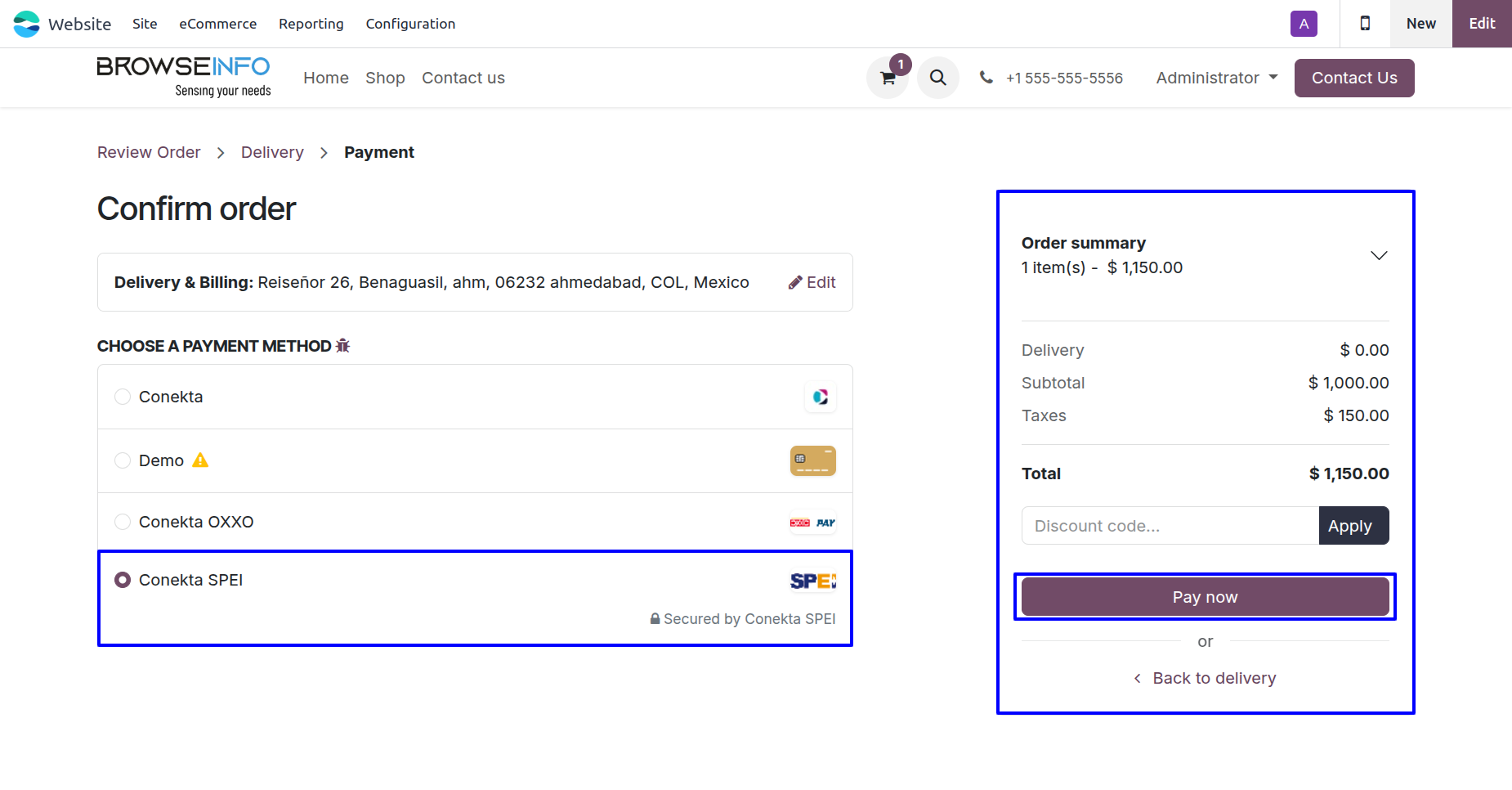
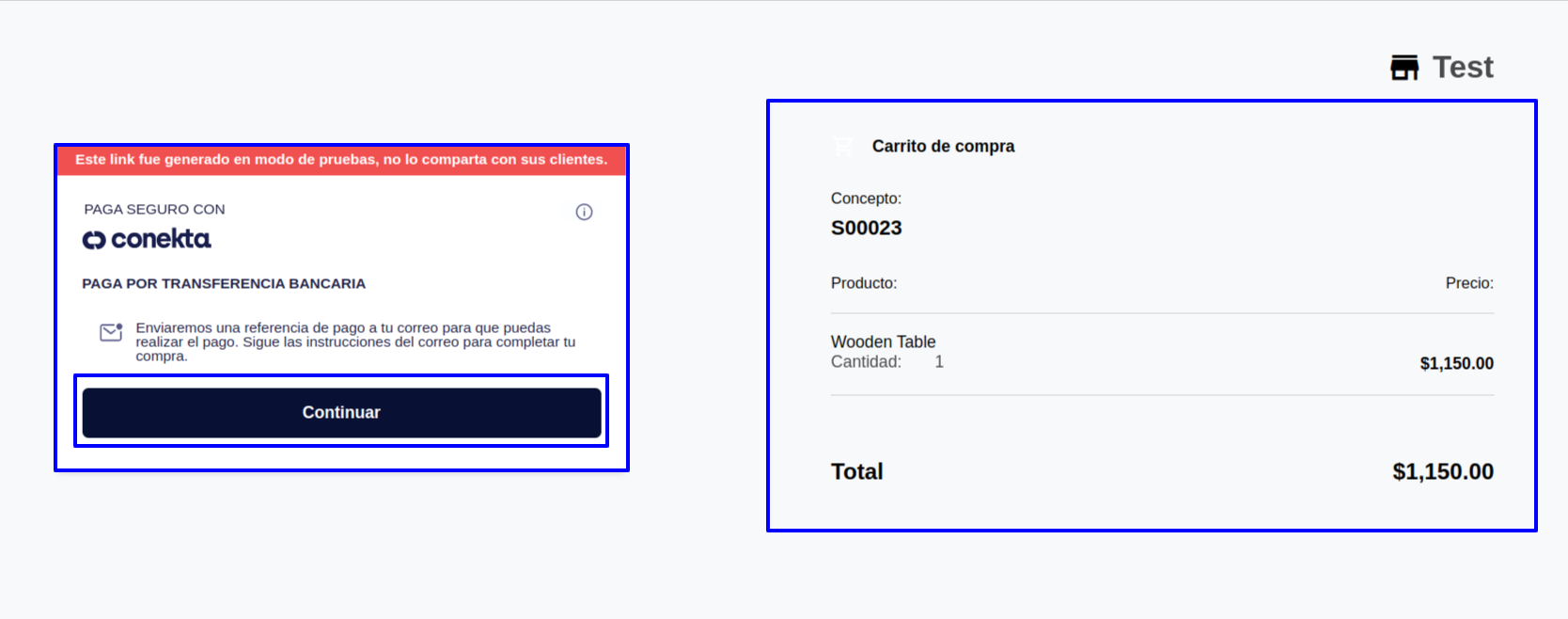
After selecting Conekta SPEI for payment, user will be redirected to payment page, on that page user need to click on the "Continue" button to go to the payment page.
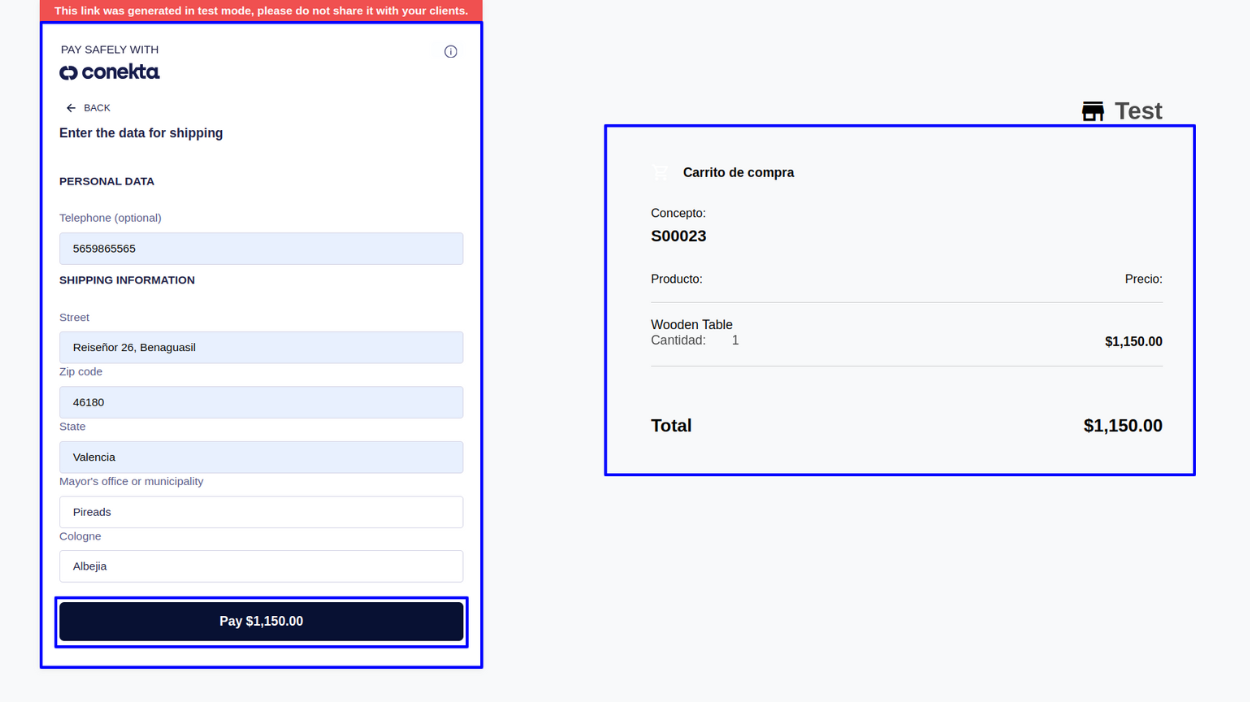
Clicking On continue button user will be redirected to next page where user need to add their personal details and click on Pay button to complete transaction.
Conekta SPEI Transactions
User can see Conekta SPEI payment has been successfully confirmed and payment transactions done.
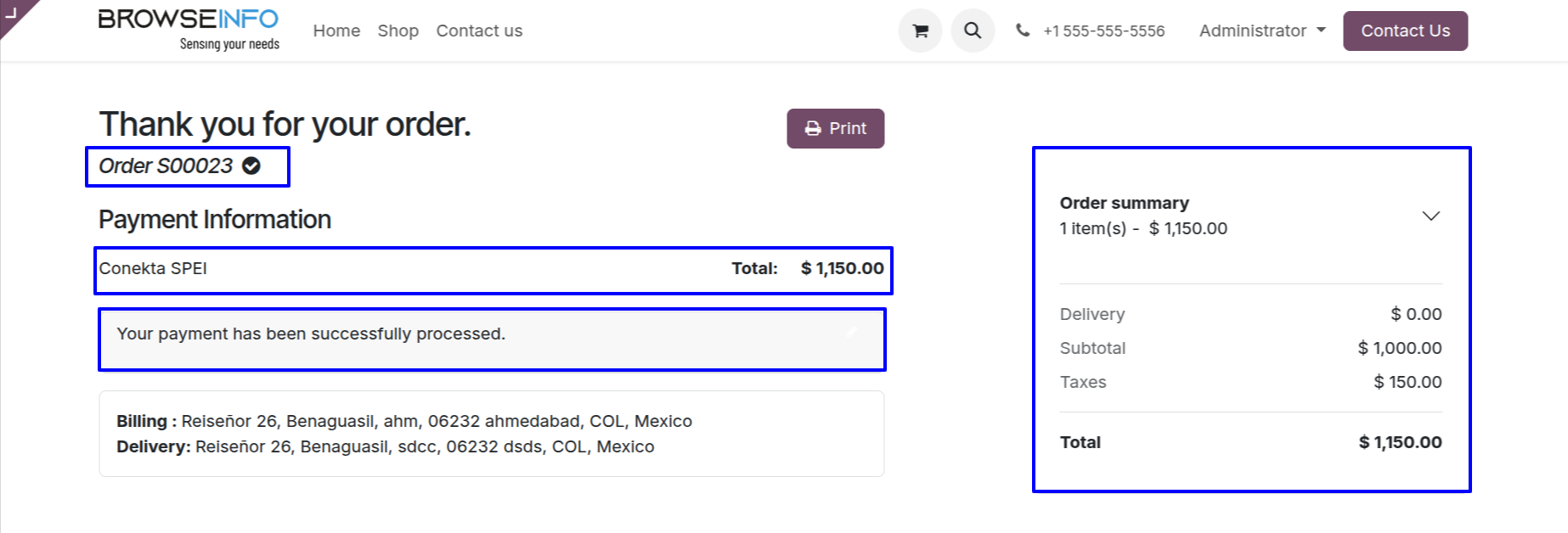
Payment transactions detail with reference no. with payment provider name.